Mix without thinking about the software.
A free DJ application for working DJs. Waveforms at the centre, controls where your hands expect them, and a library that finds the next track.
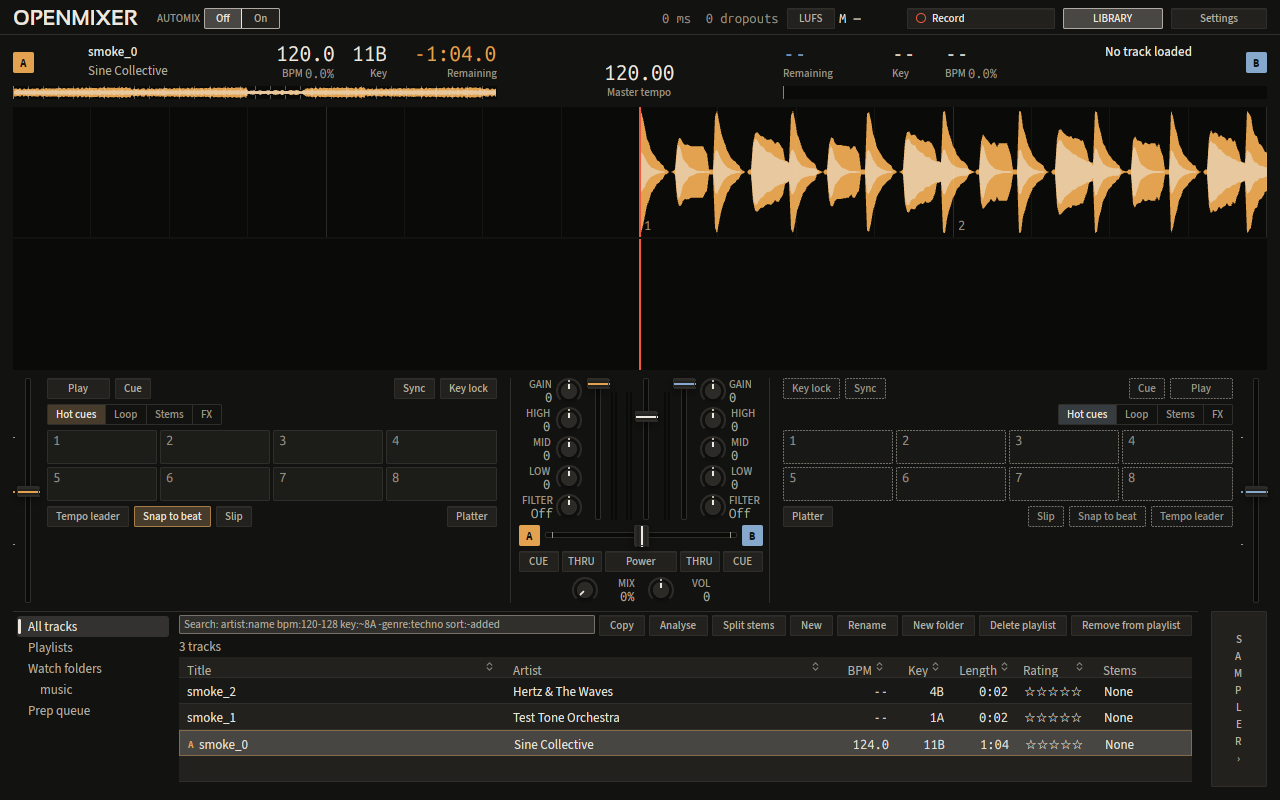
One screen, everything in reach
Two decks either side of the mixer and the library underneath. Nothing you need mid-set hides behind a menu.
Built for the first five minutes
A DJ gives new software one session. Every screen reads at a glance in a dark room.
See the music
Waveforms coloured by spectrum, with the beat grid, bar numbers and phrase markers on top.
Stems
Drums, bass, vocals and other, mixed per deck. Tracks are split before you load them.
Find the next track
BPM and key shown against the playing track, so compatible tracks stand out.
Reach by feel
EQ, filter and gain beside each deck, transport under the waveform.
Your controller
MIDI learn, a mapping editor, and generic maps for a two-deck mixer and an 8-pad controller.
Automix
A planner that picks transition points and blends for you from a playlist or search. Skip a pick, or move a control to take over.
Why switch?
How OpenMixer compares with the usual options. It's still in alpha, so the others have a head start on polish.
Linux first
OpenMixer is in alpha and runs on Linux today. Windows and macOS follow.
Linux packages come first, then Windows and macOS. Until then, the download page has the current alpha and how to run it.
What's coming
No dates until the work is close. Lighting is the next big piece.
Native lighting and timecode
OpenMixer will send timecode locked to the playing deck over the protocols listed below, so lights, lasers and displays follow the mix.